
docToolchain v4 arc42 section 7
Deployment View
docToolchain v4 supports three execution environments (unchanged from v3). The key difference: without Gradle, the installation footprint is smaller and startup is faster.
Infrastructure Level 1: Execution Environments
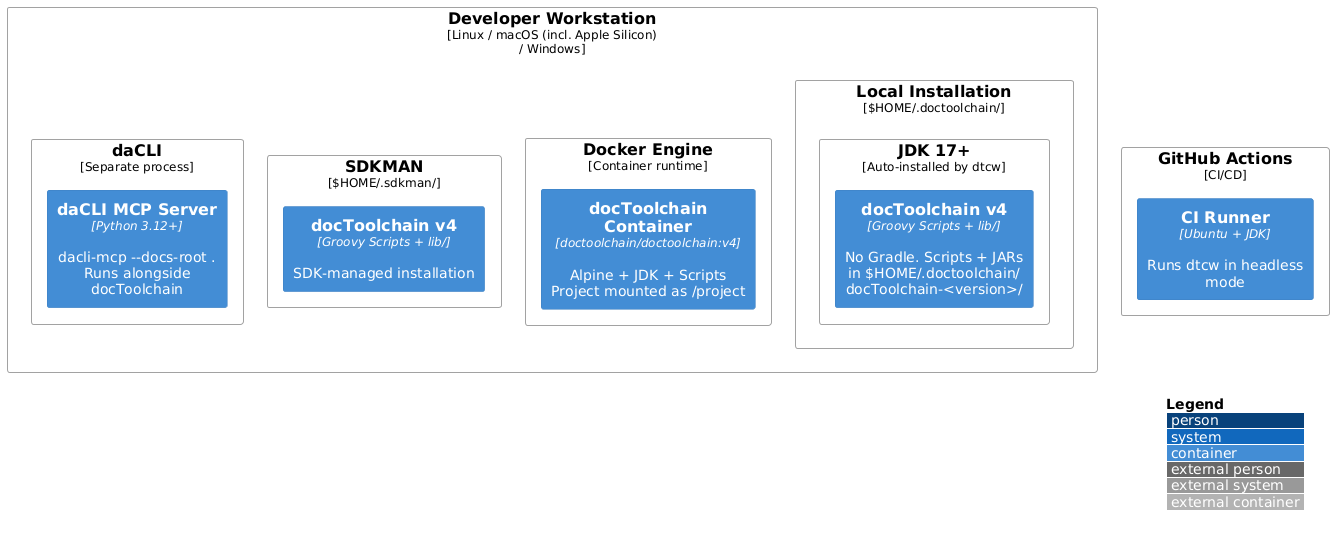
Motivation: Three environments remain equally supported (QS-2). Local is fastest (no container overhead). Docker guarantees reproducibility. SDKMAN integrates with JVM ecosystem tooling. daCLI runs as a separate process alongside any environment.
| Environment | v4 changes from v3 | Advantages | Typical Use |
|---|---|---|---|
| Local | No Gradle wrapper download (saves ~95s first run). No daemon. Smaller installation (no Gradle distribution). | Fastest startup (under 3s). Direct filesystem access. | Daily development, documentation preview |
| Docker | Smaller image (no Gradle). Faster container startup. | Consistent environment. No local dependencies beyond Docker. | CI/CD pipelines, team standardization |
| SDKMAN | Unchanged. | Familiar JVM tooling. Version switching. | JVM developers, multi-version testing |
| daCLI (companion) | New in v4. Not bundled — runs as a separate process. | LLM document access. Runs alongside any docToolchain environment. | LLM-assisted documentation workflows |
Infrastructure Level 2: CI/CD Pipeline
The CI/CD pipeline simplifies with Gradle removed:
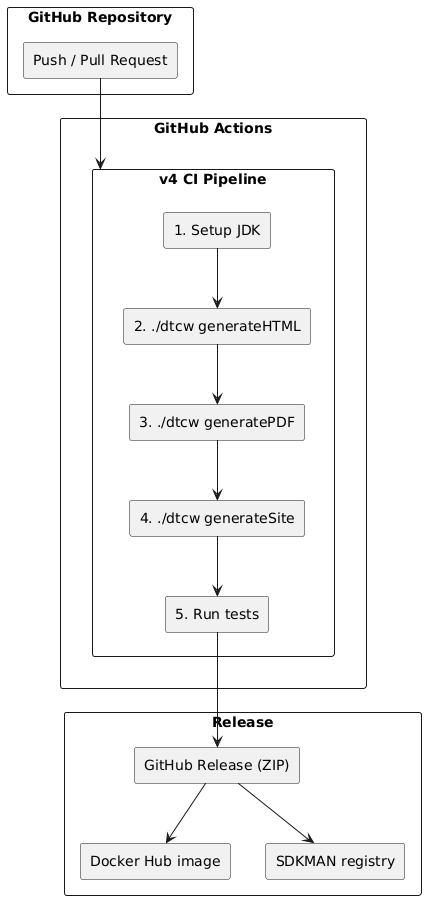
Key simplification: No Gradle cache setup, no ./gradlew clean, no dependency resolution step. Each ./dtcw command is a direct script invocation with predictable timing.